A slow website drives visitors away and hurts your rankings. Speed matters for user experience, SEO, and conversions.
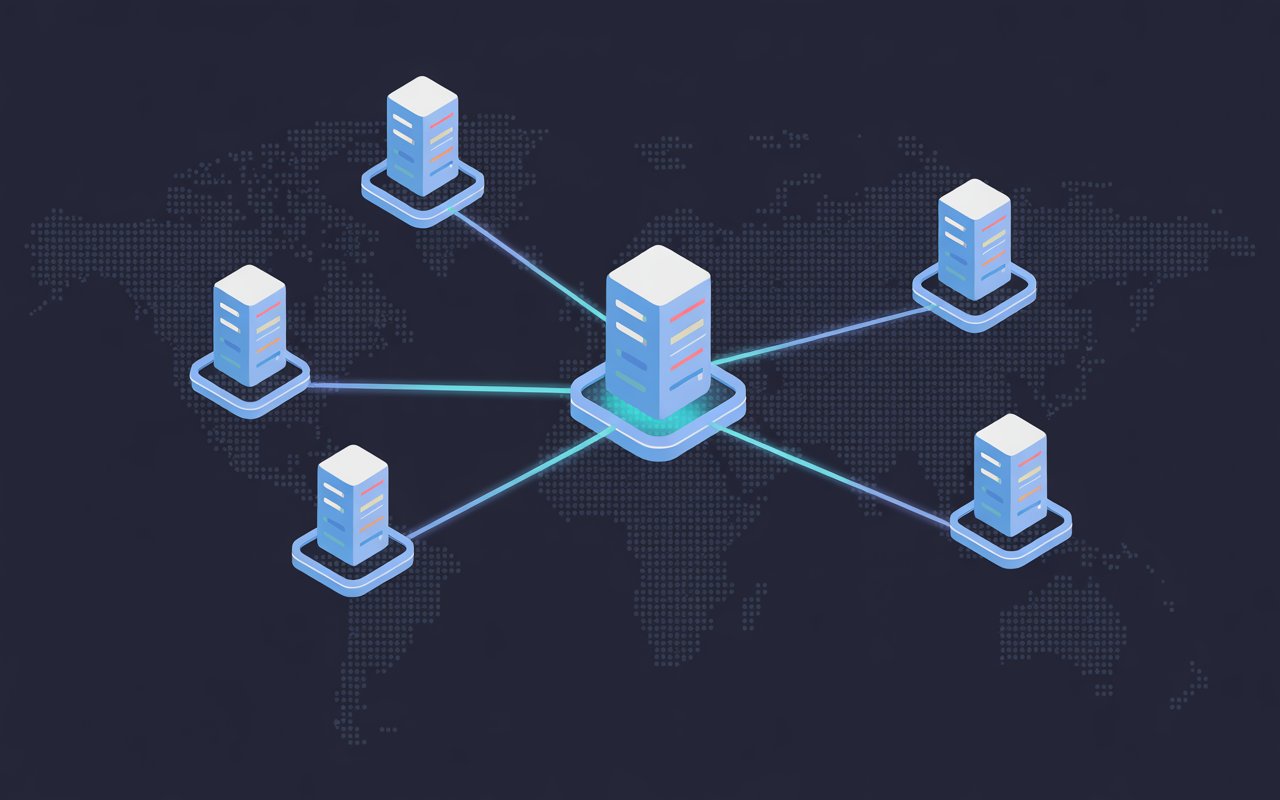
A CDN (Content Delivery Network) is a group of servers around the world that store copies of your site and deliver them from the location closest to your visitor.
This reduces load time and keeps your site fast for everyone.
WordPress sites benefit the most because they often rely on images, themes, and plugins that can slow things down.
A CDN takes the load off your hosting and improves performance instantly.
In this guide, you’ll learn the best CDN options for WordPress, how they compare, and how to choose the right one for your site.
To get better results, read our advanced WordPress CDN optimization guide.
What is a CDN and How Does It Work?
A CDN (Content Delivery Network) is a network of servers located around the world that store and deliver copies of your website content to users based on their location.
Instead of loading your site from a single server, a CDN sends content from the server closest to your visitor.
This reduces the distance data needs to travel, which makes your site load much faster.
Simple example:
If your website is hosted in the US and someone visits from Germany, the request normally travels across the world.
With a CDN, the content is delivered from a nearby server, cutting load time significantly.
Key Benefits of Using a CDN
- Faster loading speeds – Content is delivered from the nearest server
- Reduced server load – Your main hosting server handles fewer requests
- Improved uptime – Traffic is distributed across multiple servers
- Better security – Protection against threats like DDoS attacks
Why You Need a CDN for WordPress
Improves Page Speed and User Experience
Speed directly affects how people interact with your site. If pages take too long to load, visitors leave before they even see your content.
A CDN speeds up your website by delivering files like images, CSS, and JavaScript from the closest server. This reduces delays and makes pages load almost instantly.
Faster load times lead to lower bounce rates and longer visit durations. Users stay engaged because your site feels smooth and responsive.
Boosts SEO Performance
Search engines use speed as a ranking factor. A faster site has a better chance of ranking higher in search results.
A CDN improves key metrics like Core Web Vitals and Time to First Byte (TTFB). These measure how quickly your site loads and becomes usable.
Better scores signal to search engines that your site provides a good user experience. This can lead to improved visibility and more organic traffic.
Delivers Content Faster to Global Visitors
If your audience is spread across different countries, distance becomes a problem. The further a visitor is from your server, the slower your site loads.
A CDN solves this by using servers in multiple locations worldwide. Visitors get your content from the nearest server, no matter where they are.
This ensures consistent speed for all users, whether they are local or international.
Essential for WooCommerce and Dynamic Sites
WordPress sites with dynamic content, like WooCommerce stores, require more resources. Product pages, carts, and checkouts can slow down your server.
A CDN handles static content, which frees up your server to focus on dynamic tasks. This improves overall performance and keeps your site stable during traffic spikes.
It also helps maintain a smooth shopping experience. Faster pages reduce cart abandonment and increase conversions.
Key Features to Look for in a WordPress CDN
Global Server Network (PoPs)
A CDN works best when it has many servers in different locations. These servers are called Points of Presence (PoPs).
The more PoPs a CDN has, the closer your content is to your visitors. This reduces load time and improves consistency across regions.
Choose a CDN with strong coverage in the areas where your audience lives.
For example, if you have visitors in Africa, Europe, and the US, your CDN should have servers in those regions.
Caching (Static vs Dynamic Content)
Caching is how a CDN stores and delivers your content quickly. Static content includes images, CSS, and JavaScript. These files can be cached easily and served instantly.
Dynamic content, like user accounts or shopping carts, changes often and cannot always be cached the same way.
A good CDN lets you control caching rules. You should be able to cache static files aggressively while excluding or carefully handling dynamic pages.
This balance keeps your site fast without breaking functionality.
Security Features (WAF and DDoS Protection)
Security is a major advantage of using a CDN. Many CDNs include a Web Application Firewall (WAF) that blocks harmful traffic before it reaches your site.
They also protect against DDoS attacks by spreading traffic across multiple servers. This prevents your site from going down during traffic spikes or attacks.
Look for built-in security tools that require little setup. This keeps your site protected without adding extra complexity.
Ease of Integration with WordPress
A CDN should be simple to set up, even if you are not technical.
Many CDNs offer WordPress plugins or clear setup steps using DNS. Some integrate directly with caching plugins, making the process faster and easier.
Choose a CDN that works smoothly with your current setup. A complicated setup can lead to errors or slow performance if done incorrectly.
Pricing Model (Free vs Pay-as-You-Go)
CDNs come with different pricing structures. Some offer free plans with basic features, while others charge based on usage.
Free plans are a good starting point for small websites. They provide decent speed and basic security.
Pay-as-you-go models are better for growing sites. You only pay for what you use, and you often get better performance and advanced features.
Image Optimization and Performance Tools
Images are often the largest part of a webpage. If they are not optimized, they slow down your site.
Many CDNs offer built-in image optimization. This includes compression, resizing, and modern formats like WebP.
Some also include extra performance tools like minification, lazy loading, and file compression.
These features reduce file size and improve load speed without extra plugins.
Best CDN for WordPress (Top Picks)
1. Cloudflare
Best for: Free plan + strong security
Cloudflare is one of the most popular CDN choices for WordPress users.
It stands out because it offers powerful performance and security features, even on its free plan.
Key Features
- Free CDN plan
Cloudflare provides a completely free plan that includes a global CDN, SSL, and basic performance tools. This makes it a strong starting point for beginners and small websites. - Built-in firewall & DDoS protection
It includes automatic DDoS protection and firewall rules to block malicious traffic. Even the free plan protects your site from common attacks and helps keep it online during traffic spikes. - Global network
Cloudflare operates a large global network with servers in hundreds of cities. This allows your content to be delivered from the nearest location, improving speed worldwide. - WordPress integration
Cloudflare offers a dedicated WordPress plugin with one-click setup, automatic cache management, and performance improvements.
Pros
- Free plan with strong core features
- Excellent security (DDoS protection + firewall)
- Large global network for fast delivery
- Easy to set up, even for beginners
- Improves speed, uptime, and reliability
Cons
- Advanced features require paid plans
- Some settings can be confusing for beginners
- Full-page caching for dynamic sites may need upgrades
Bottom line:
Cloudflare is the best all-around CDN for most WordPress users.
It offers a strong mix of speed, security, and ease of use, especially if you want a reliable free option to start with.
2. Bunny.net (BunnyCDN)
Best for: Performance + affordability
Bunny.net (formerly BunnyCDN) is known for delivering very fast speeds at a low cost.
It’s a strong choice if you want better performance without paying high monthly fees.
Key Features
- Pay-as-you-go pricing
Bunny.net uses a flexible pricing model where you only pay for the bandwidth you use. Pricing can start as low as $0.01/GB with a $1 monthly minimum, making it one of the most affordable CDN options available. - Fast global latency
The network includes 100+ global PoPs (119 locations) and delivers content with very low latency, often around 20–25 ms globally.
This results in faster load times for visitors, no matter where they are. - Easy WordPress integration
Bunny.net offers a simple WordPress plugin and setup wizard. You can connect your site in minutes without advanced technical knowledge. - Advanced performance features
Includes caching, image optimization, compression (Brotli/Gzip), and edge rules for better control over delivery. - Built-in security
Comes with DDoS protection and security tools to keep your site stable and protected.
Pros
- Very affordable pay-as-you-go pricing
- Excellent performance and low latency worldwide
- No long-term contracts or hidden fees
- Easy setup with WordPress plugin
- Strong caching and optimization features
Cons
- No permanent free plan (only a trial)
- Some advanced features cost extra
- The interface may feel basic compared to competitors
Bottom line:
Bunny.net is one of the best CDN choices if you want high performance at a low cost. It’s ideal for growing WordPress sites that need speed without overspending.
3. Amazon CloudFront
Best for: Advanced users & AWS setups
Amazon CloudFront is a powerful CDN built by AWS. It is designed for high performance, deep customization, and large-scale applications.
It works best if your website already uses AWS services or if you need advanced control.
Key Features
- Deep AWS integration
CloudFront integrates seamlessly with AWS services like Amazon S3, EC2, and Route 53. This allows you to build a fully connected and optimized infrastructure in one ecosystem. - Highly scalable
It automatically scales to handle traffic spikes without manual setup. CloudFront uses a large global network of edge locations to deliver both static and dynamic content with low latency. - Advanced edge computing
You can run custom code at edge locations using features like Lambda@Edge and CloudFront Functions. This allows advanced optimizations like redirects, authentication, and content customization. - Strong security features
Includes built-in DDoS protection (AWS Shield) and supports WAF for filtering malicious traffic. It also offers encryption and access control for secure content delivery. - Flexible pricing options
Offers both pay-as-you-go pricing and newer flat-rate plans. You only pay for usage, but costs can vary based on traffic, requests, and features used.
Pros
- Extremely scalable and reliable
- Deep integration with the AWS ecosystem
- Advanced customization and edge computing
- Strong security and enterprise-level features
- Supports both static and dynamic content
Cons
- More complex setup compared to other CDNs
- Pricing can be difficult to predict
- Can become expensive at high traffic levels
- Not beginner-friendly without AWS knowledge
Bottom line:
Amazon CloudFront is a top-tier CDN for developers and large websites.
It offers unmatched flexibility and scalability, but it’s best suited for users who are comfortable working with AWS.
4. QUIC.cloud (LiteSpeed CDN)
Best for: LiteSpeed users
QUIC.cloud is a CDN built specifically for WordPress and tightly integrated with LiteSpeed Cache.
It stands out because it can cache your entire website, not just static files.
Key Features
- Built-in with LiteSpeed Cache
QUIC.cloud works directly with the LiteSpeed Cache plugin, which has millions of active installations. This integration allows you to control CDN, caching, and optimization from one place inside WordPress. - Full-page caching support (static + dynamic)
Unlike most CDNs that only cache static files, QUIC.cloud can cache both static and dynamic content, including full HTML pages.
This means:
- Faster load times for entire pages
- Reduced server requests
- Improved performance for complex sites like WooCommerce
- Smart cache management
Uses LiteSpeed’s Smart Purge system to automatically clear and refresh cache when content changes. This ensures visitors always see updated content without slowing down your site. - Global CDN with low latency
QUIC.cloud delivers content through a global network of servers and serves pages from the edge with low Time to First Byte (TTFB). - Built-in optimization tools
Includes image optimization, CSS/JS optimization, and support for modern protocols like HTTP/3 for faster delivery. - Security features
Provides DDoS protection, WAF rules, and brute-force protection at the CDN level to keep your WordPress site secure.
Pros
- Full-page caching (static + dynamic content)
- Seamless integration with LiteSpeed Cache
- Strong performance improvements, especially for WordPress
- Built-in optimization tools (images, CSS, JS)
- Good security features included
Cons
- Best performance requires LiteSpeed hosting
- The setup can be slightly technical for beginners
- The free plan has limited PoPs and features
- Less flexible if you’re not using LiteSpeed
Bottom line:
QUIC.cloud is one of the most powerful CDN options for WordPress if you use LiteSpeed.
Its ability to cache entire pages gives it a major performance advantage over traditional CDNs.
5. Fastly / StackPath / KeyCDN (Honorable Mentions)
These CDN providers are solid alternatives. They may not be the most beginner-friendly, but they offer strong performance, unique features, or better pricing for specific use cases.
Fastly
Best for: Developer-focused, real-time control
Fastly is built for advanced users who want full control over how content is delivered. It focuses on real-time performance and edge computing.
Key Features
- Real-time caching and instant cache purging
- Edge computing for faster data processing
- Advanced configuration using VCL (custom rules)
- Detailed real-time analytics and monitoring
Pros
- Excellent for dynamic and real-time content
- Highly customizable and flexible
- Strong performance and scalability
- Advanced analytics and control
Cons
- Requires technical knowledge
- More complex setup than beginner CDNs
- Can become expensive with high traffic
StackPath
Best for: Security + edge computing
StackPath combines CDN performance with strong security and edge services. It is a good option for websites that need both speed and protection.
Key Features
- Global edge network for fast delivery
- Built-in security tools like SSL and protection features
- Edge computing capabilities for advanced use cases
- Detailed analytics and traffic insights
Pros
- Strong focus on security and performance
- Easy-to-understand pricing plans
- Good for business and eCommerce sites
- Reliable global delivery
Cons
- Smaller network compared to top providers
- Fewer integrations than competitors
- Less popular, so fewer tutorials and guides
KeyCDN
Best for: Budget-friendly option
KeyCDN is a simple and affordable CDN that focuses on ease of use and transparent pricing. It’s ideal for small to medium websites.
Key Features
- Pay-as-you-go pricing starting around $0.04/GB
- Global network with multiple edge locations
- Built-in features like HTTP/2, Brotli compression, and analytics
- Simple setup with no long-term contracts
Pros
- Very affordable and transparent pricing
- Easy to set up and manage
- Includes many features at no extra cost
- No contracts or hidden fees
Cons
- Fewer advanced features than premium CDNs
- Smaller ecosystem compared to Cloudflare or AWS
- Limited enterprise-level capabilities
Bottom line:
Fastly is best for developers who want control, StackPath is ideal for security-focused sites, and KeyCDN is perfect if you want a simple and budget-friendly CDN.
Cloudflare vs BunnyCDN vs CloudFront
Performance Comparison
All three CDNs offer strong performance, but they focus on different strengths.
- Cloudflare has one of the largest global networks (200+ locations), which helps deliver consistent speed worldwide.
- BunnyCDN is known for low latency and fast delivery, often averaging around 24–28 ms globally, making it very competitive in real-world speed tests
- CloudFront also performs well at scale, with a large global infrastructure and strong reliability, especially when paired with AWS services
Quick takeaway:
- Best overall consistency → Cloudflare
- Fastest for price → BunnyCDN
- Best for large-scale systems → CloudFront
Pricing Differences
Pricing is one of the biggest differences between these CDNs.
- Cloudflare offers a free plan with unlimited bandwidth, making it ideal for beginners
- BunnyCDN uses pay-as-you-go pricing starting around $0.01/GB, making it very cost-efficient
- CloudFront charges for both data transfer and requests, which can make costs harder to predict
In real comparisons, BunnyCDN can be significantly cheaper at scale, while CloudFront can become expensive with high traffic
Quick takeaway:
- Cheapest option → BunnyCDN
- Best free option → Cloudflare
- Most complex pricing → CloudFront
Ease of Use
Ease of setup matters, especially for beginners.
- Cloudflare is simple to set up with DNS-based integration and works well out of the box
- BunnyCDN is also easy to use, with a clean dashboard and quick setup process
- CloudFront is more complex and requires AWS knowledge, which can slow down setup
Quick takeaway:
- Easiest → Cloudflare / BunnyCDN
- Most complex → CloudFront
Best Use Cases
Each CDN fits a different type of user or project.
- Cloudflare → Best for beginners, bloggers, and small businesses that want a free, all-in-one solution with strong security
- BunnyCDN → Best for growing websites that need high performance at a low cost
- CloudFront → Best for developers, enterprise sites, or projects already using AWS
This aligns with industry comparisons where Cloudflare is praised for security, BunnyCDN for price-to-performance, and CloudFront for scalability
Key Takeaway
There is no single “best” CDN for everyone.
The right choice depends on your needs:
- Choose Cloudflare if you want simplicity and a free plan
- Choose BunnyCDN if you want the best value for performance
- Choose CloudFront if you need advanced control and AWS integration
Free vs Paid CDN: Which Should You Choose?
When a Free CDN is Enough
A free CDN is a good choice if you run a small website, personal blog, or portfolio with low to moderate traffic.
It gives you the core benefits you need—faster load times, basic caching, and improved security—without any cost.
For most beginners, this is enough to see a noticeable speed boost and better user experience.
When to Upgrade to a Paid CDN
You should upgrade when your site starts to grow or performance becomes inconsistent.
If you notice slow loading during traffic spikes, need advanced features like full-page caching, or run an online store, a paid CDN becomes necessary.
It provides better control, stronger performance, and more reliable delivery under heavy load.
Cost vs Performance Considerations
Focus on value, not just price. A paid CDN may cost more, but it can improve speed, SEO rankings, and conversions, which often leads to higher revenue.
If your site generates income or supports a business, the investment is usually worth it.
For smaller sites with limited traffic, a free CDN remains the most practical and cost-effective option.
How to Choose the Best CDN for Your WordPress Site
Based on Your Budget
Start by deciding how much you are willing to spend. If you are just starting out or running a personal site, a free CDN is often enough to improve speed and basic security.
If your website supports a business or generates income, investing in a paid CDN makes more sense.
Paid options usually offer better performance, more control, and advanced features that directly impact growth.
Based on Your Traffic Level
Your traffic size should guide your choice. Low-traffic sites can run smoothly on free or low-cost CDN plans without any issues.
As traffic increases, your server handles more requests, and performance can drop if your CDN is limited.
High-traffic websites need a CDN that can scale easily and handle spikes without slowing down. Look for providers with strong global networks and reliable uptime.
Based on Your Technical Skill
Choose a CDN that matches your comfort level.
If you are a beginner, go for a CDN with a simple setup, clear dashboards, and WordPress plugins that handle most of the work for you.
This reduces the risk of mistakes and saves time. If you are more experienced, you can choose a CDN with advanced settings, custom rules, and deeper control.
This allows you to fine-tune performance and security.
Based on Your Type of Website
The type of site you run affects what features you need. A blog or simple website mainly needs fast delivery of images and static files, so basic CDN features are enough.
A business website may require stronger security and consistent performance for all users.
WooCommerce or dynamic sites need more advanced handling, such as smart caching and the ability to manage dynamic content without breaking functionality.
How to Set Up a CDN on WordPress
Setting up a CDN may sound technical, but the process is simple if you follow the right steps.
Most CDNs are designed to work smoothly with WordPress, even for beginners.
Basic Setup Steps
1. Sign Up for a CDN
Choose a CDN provider that fits your needs and create an account.
Once signed up, you will get access to a dashboard where you manage your CDN settings.
2. Connect Your Domain (DNS or Plugin)
You can connect your website to the CDN in two common ways:
- DNS method (recommended):
Update your domain’s nameservers to point to the CDN. This routes all traffic through the CDN automatically. - Plugin method (easier for beginners):
Use a WordPress plugin to connect your CDN without changing DNS settings. This is quicker but may offer fewer advanced options.
3. Configure Caching Settings
Set up how your content is cached. Start with default settings, then adjust as needed:
- Cache static files (images, CSS, JavaScript)
- Exclude dynamic pages (cart, checkout, login)
- Enable compression and performance features
Proper caching ensures your site loads quickly without breaking functionality.
Popular WordPress CDN Plugins (Optional)
- LiteSpeed Cache – Best for LiteSpeed servers with built-in CDN support
- WP Rocket – Premium plugin with easy CDN integration
- W3 Total Cache – Free and flexible with advanced CDN settings
- WP Super Cache – Simple option for basic caching needs
Quick tip:
After setup, always test your website speed and check that your CDN is working correctly.
This ensures everything is configured properly and delivering the expected performance boost.
Common CDN Mistakes to Avoid
Incorrect Caching Rules
Caching everything without control can break your site or show outdated content. Many beginners enable aggressive caching but forget to adjust rules for different file types.
Static files should be cached for longer, while frequently updated content should refresh more often.
Always review your CDN’s default settings and adjust them to match how your site works.
Not Excluding Dynamic Pages
Dynamic pages like login, cart, and checkout should never be cached the same way as static content.
If they are cached, users may see the wrong data, such as another user’s cart or outdated account information.
Most CDNs allow you to exclude specific URLs or page types. Set these exclusions early to avoid serious functionality issues.
Ignoring Image Optimization
Images are often the largest files on a website. If they are not optimized, your CDN cannot fully improve your site speed.
Uploading large, uncompressed images slows down loading times even with a CDN in place.
Use built-in CDN image optimization or compress images before uploading to reduce file size and improve performance.
Using Too Many Performance Tools
Stacking multiple caching plugins, CDNs, and optimization tools can cause conflicts.
Instead of improving speed, this often leads to broken layouts, caching errors, or slower performance.
Choose one main CDN and one caching solution, then configure them properly. A simple, well-optimized setup always performs better than a complex one.
Final Thoughts
Choosing the right CDN can make your WordPress site faster, more reliable, and more secure.
Cloudflare is a great starting point with its free plan, BunnyCDN offers strong performance at a low cost, and CloudFront suits advanced users who need full control.
The best choice depends on your budget, traffic, and technical skill. Start simple, test your results, and upgrade only when your site grows.
For a full tutorial from start to finish, visit our WordPress CDN setup and optimization guide.
FAQs
What is the best free CDN for WordPress?
Cloudflare is the best free option. It offers good speed, global coverage, and built-in security.
Does a CDN improve SEO?
Yes. A CDN improves page speed and Core Web Vitals, which can help your rankings.
Is Cloudflare enough for WordPress?
Yes, for most sites. It covers speed and security, but advanced sites may need extra features.
Can a CDN break my site?
Yes, if configured incorrectly. Issues usually come from wrong caching settings or not excluding dynamic pages.
Do I need a CDN for a small website?
It’s not required, but it helps. Even small sites benefit from faster load times and better reliability.





Hi, I’m Daniel Cacheton. I specialize in WordPress performance optimization and have spent 7+ years improving site speed, Core Web Vitals, and overall user experience. I share practical, no-fluff guides based on real testing to help you build faster WordPress websites.









