A fast website keeps people engaged. A slow one drives them away. Speed affects how long visitors stay, how many pages they view, and whether they take action.
For WordPress sites, performance is even more important. Every page relies on themes, plugins, and database requests.
If your site is slow, it hurts user experience and can lower your rankings on search engines like Google.
One factor many people overlook is server location. This is where your website is physically stored.
The farther your server is from your visitors, the longer it takes for your site to load.
Learn what actually improves speed in WordPress hosting optimization.
What Is Server Location?
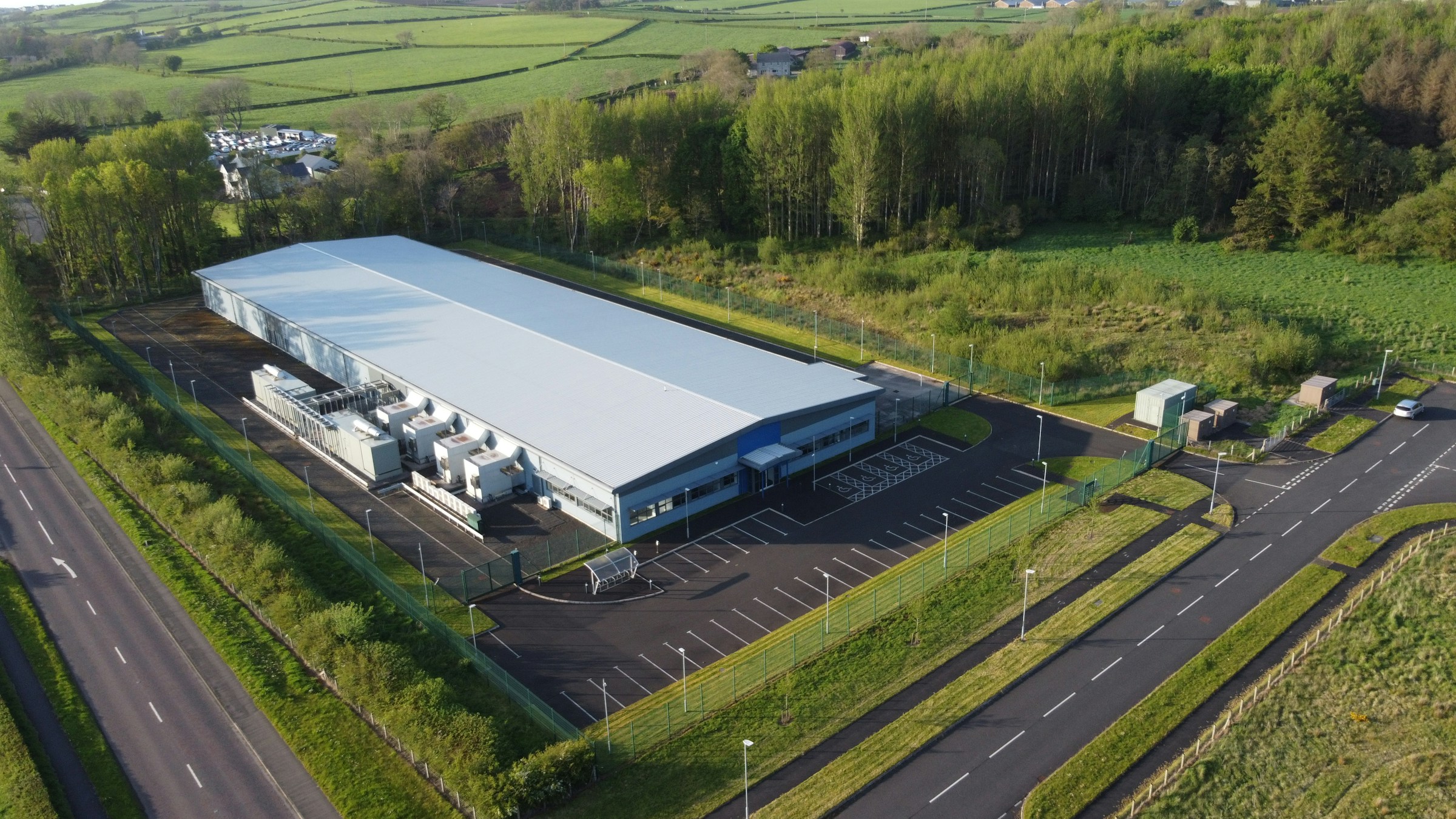
Server location refers to the physical place where your website is stored, usually inside a data center run by your hosting provider.
These data centers contain powerful computers (servers) that store all your website files, including images, code, and your WordPress database.
When someone visits your site, their browser sends a request to that server, which then sends the website data back so it can load on their screen.
This process happens in seconds, but distance plays a big role. If your server is close to your visitor, the data travels a shorter path and loads faster.
If it’s far away, the data takes longer to reach them, which slows down your site.
For example, if your server is in the United States and your visitors are in London, every request has to travel thousands of kilometers, increasing the delay.
Choosing a server location closer to your audience reduces this travel time and helps your website load much faster.
How Server Location Impacts Website Speed
Physical Distance and Latency
Latency is the time it takes for data to travel from a user’s device to your server and back.
It is measured in milliseconds, but even small delays add up and affect how fast your site feels. The farther the distance between the visitor and the server, the higher the latency.
This happens because data has to move through multiple networks and cables across long distances.
For example, a user accessing a site hosted nearby will experience lower latency than someone connecting to a server on another continent.
This increased delay slows down how quickly your website starts loading and responding.
Data Travel Time
Every time someone visits your website, their browser sends a request to your server asking for files like images, text, and scripts.
The server processes this request and sends the data back to the user’s device. This round trip happens many times during a single page load.
The longer the distance, the longer each trip takes. Think of it like shipping a package: delivering within your city is fast, but sending it overseas takes much longer.
The same principle applies to website data.
When your server is closer to your users, each request and response is completed faster, which improves overall load speed.
Time to First Byte (TTFB)
Time to First Byte, or TTFB, is the time it takes for a browser to receive the first piece of data from the server after making a request.
It is one of the earliest indicators of how responsive your server is.
A server that is far away increases TTFB because it takes longer for the request to reach the server and for the first response to return.
Even if your website is well-optimized, a high TTFB can delay the entire loading process.
Why Server Location Matters for WordPress
Dynamic Content Loading in WordPress
WordPress does not serve fixed pages by default. Each time someone visits your site, the server builds the page in real time using PHP, your theme, and your plugins.
This means multiple processes must run before the page is shown.
If the server is far from the visitor, every step takes longer because each request and response has to travel a greater distance.
This delay affects how quickly the page starts loading. A closer server reduces this wait time and helps pages appear faster.
Database Queries and Server Response Time
WordPress relies heavily on a database to store posts, pages, settings, and user data. When a page loads, the server sends multiple queries to the database to fetch this information.
Each query adds a small delay. If the server location is far from the user, these delays increase because the final response still needs to travel back to the visitor.
Slow server response times can stack up quickly, especially on content-rich sites. Hosting your site closer to your audience helps speed up this entire process.
Impact on Plugins, Themes, and Media-Heavy Sites
Plugins and themes add extra functionality, but they also increase the number of requests your server must handle.
Some plugins load additional scripts, styles, or external resources, which can slow things down if the server is already far away.
Media-heavy sites with large images or videos are even more affected because bigger files take longer to transfer over long distances.
The farther the server, the longer users wait for these elements to load.
SEO Impact of Server Location
Google’s Focus on Page Speed
Google uses page speed as a ranking factor because it directly affects how users experience a website.
Faster sites are easier to use, so they are more likely to rank higher in search results. Server location plays a role here by influencing how quickly your website responds to visitors.
If your server is far from your target audience, your site may load slower, which can hurt your rankings.
Choosing a server closer to your users helps improve load times, giving your site a better chance to perform well in search results.
Core Web Vitals Connection
Core Web Vitals are a set of metrics Google uses to measure real-world user experience.
These include loading speed, interactivity, and visual stability. Server location directly affects metrics like loading speed, especially the initial response time of your site.
If your server is too far away, it can delay how quickly content appears on the screen. This can lead to poor Core Web Vitals scores.
Improving server proximity helps reduce delays and supports better overall performance in these key metrics.
User Experience and Bounce Rate
User experience is a major factor in SEO, and speed is a big part of it. When a website loads slowly, users are more likely to leave before it fully loads.
This is known as a high bounce rate. A distant server increases loading time, which can frustrate visitors and drive them away.
On the other hand, a faster site keeps users engaged and encourages them to explore more pages.
By hosting your website closer to your audience, you create a smoother experience that keeps visitors on your site longer and supports better SEO results.
Best Server Location for Your Audience
Local Audience Websites
If most of your visitors are in one country, the best choice is to host your website as close to that country as possible.
This reduces the distance data needs to travel and improves loading speed for your main audience.
Faster load times lead to better user experience and stronger SEO performance.
For example, if your audience is based in Australia, choosing a server in Australia or a nearby region like Europe will deliver much faster results than hosting in the United States.
Always match your server location to where the majority of your users are located. This is the simplest and most effective way to improve speed.
Global Audience Websites
If your website serves visitors from different parts of the world, choosing a single server location becomes more challenging.
No matter where the server is placed, some users will always be far away, which can slow down their experience. This is where distributed infrastructure becomes important.
Instead of relying on one server, you can use multiple server locations or a Content Delivery Network (CDN) to deliver content from servers closer to each user.
This setup reduces delays for global visitors and keeps your site fast across different regions.
For worldwide audiences, combining a strong primary server with global delivery systems is the most reliable approach.
What If Your Audience Is Worldwide?
Use a CDN (Content Delivery Network)
A CDN is a network of servers placed in different locations around the world.
Instead of serving your website from one central server, a CDN stores copies of your site’s static content, such as images, CSS, and JavaScript, on multiple servers.
When a visitor accesses your site, the CDN delivers content from the server closest to them. This reduces the distance data needs to travel and speeds up loading times.
It also lowers the load on your main server, which improves overall performance and stability.
For global audiences, using a CDN is one of the easiest and most effective ways to fix slow loading caused by distance.
Multi-Region Hosting
Multi-region hosting takes performance a step further by using cloud hosting providers that offer servers in multiple locations.
Instead of relying on a single server, your website can run from different regions at the same time or switch between them based on user location.
This setup ensures that users are always connected to the nearest available server. Load balancing plays a key role here.
It distributes incoming traffic across multiple servers, preventing overload and improving response times.
If one server is busy or down, traffic is automatically redirected to another. This creates a faster and more reliable experience for users around the world.
How to Check Your Server Location
Hosting Provider Dashboard
The easiest way to find your server location is through your hosting account dashboard. Most hosting providers show the data center location where your website is hosted.
Look for sections like “Server Info,” “Data Center,” or “Account Details.” This information is usually displayed clearly, especially with managed hosting services.
If you don’t see it, check your welcome email or contact support. Knowing this location helps you confirm whether your server is close to your target audience.
IP Lookup Tools
You can also find your server location using an IP lookup tool. First, get your website’s IP address by using a simple online tool or checking your domain settings.
Then, enter that IP into an IP lookup website. It will show the approximate physical location of your server, including the country and sometimes the city.
This method is useful if your hosting provider does not clearly display server details. It also helps verify if your site is actually hosted where you expect it to be.
Testing Speed from Different Regions
Another effective method is to test your website speed from multiple locations around the world.
Tools like GTmetrix, Pingdom, or Google PageSpeed Insights allow you to run tests from different regions.
If your site loads quickly in one country but slowly in another, it usually means your server is closer to the faster region.
This gives you a real-world view of how server location affects your visitors.
Use this data to decide if you need a better server location or a CDN to improve global performance.
How to Improve Speed Regardless of Location
Use a CDN
A CDN helps deliver your website content from servers closer to your visitors, even if your main server is far away.
It stores copies of your static files, such as images and scripts, across multiple global locations.
When someone visits your site, the CDN serves those files from the nearest server, reducing load time.
This is one of the fastest ways to improve speed without changing your hosting location.
Set up a CDN through your hosting provider or a service like Cloudflare, and enable it for your entire site.
Optimize Images and Scripts
Large images and heavy scripts slow down your website, no matter where your server is located. Start by compressing images to reduce file size without losing quality.
Use modern formats like WebP when possible. Next, minimize and combine CSS and JavaScript files to reduce the number of requests your site makes.
Remove any unused plugins or scripts that add extra load. These small changes reduce the amount of data that needs to travel, which improves speed for all users.
Enable Caching
Caching stores ready-to-use versions of your website so the server does not have to rebuild pages every time someone visits.
This reduces server processing time and speeds up delivery.
Use page caching to serve static versions of pages, and browser caching to store files on the user’s device for faster repeat visits.
Most WordPress caching plugins can handle this with simple settings. Enabling caching is a quick win that improves performance immediately.
Choose High-Performance Hosting
Your hosting provider plays a major role in your site’s speed. Even with a good server location, low-quality hosting can slow everything down.
Choose a provider that offers fast servers, solid uptime, and optimized environments for WordPress.
Look for features like SSD storage, built-in caching, and strong server resources.
Good hosting ensures your website runs efficiently and handles traffic without delays, no matter where your visitors are coming from.
Common Mistakes to Avoid
Choosing Cheap Hosting in Distant Regions
Low-cost hosting may seem like a good deal, but it often comes with poor performance and limited server locations.
Many cheap providers host websites far from your target audience, which increases load times. You may save money upfront, but you lose speed, reliability, and user experience.
Always check where the server is located before choosing a plan. Paying slightly more for a closer, faster server usually delivers better results.
Ignoring Audience Location
One of the biggest mistakes is not considering where your visitors are coming from.
Your server location should match your main audience, not your personal preference or where the hosting company is based.
If most of your users are in one region, hosting far away will slow down their experience. Use analytics tools to identify your top traffic locations.
Then choose a server location that best serves those users.
Relying Only on CDN Without Proper Hosting
A CDN improves speed, but it cannot fix poor hosting. Your main server still handles important tasks like processing requests and running WordPress.
If your hosting is slow or underpowered, your site will still lag, even with a CDN. Think of a CDN as a support system, not a replacement.
For the best performance, combine a strong hosting provider with a CDN, not one or the other.
Server Location vs Other Speed Factors
Hosting Quality vs Location
Server location matters, but it is not the only factor that affects speed. A nearby server will not help much if the hosting itself is slow or overloaded.
High-quality hosting uses faster hardware, better resource allocation, and optimized server settings. This improves response time and stability.
In many cases, a high-performance server that is slightly farther away can outperform a low-quality server that is closer.
The best approach is to choose strong hosting first, then select a location that is as close to your audience as possible.
Theme, Plugins, and Optimization
Your WordPress setup has a direct impact on speed. Heavy themes, too many plugins, and poorly coded features can slow down your site, regardless of server location.
Each plugin can add extra scripts, database queries, and processing time. Large images and unoptimized files also increase load time.
To fix this, use a lightweight theme, keep plugins to a minimum, and optimize your images and code.
These steps reduce the workload on your server and improve performance across all regions.
Balanced Perspective
Server location is important, but it works best as part of a complete performance strategy.
Speed depends on a combination of factors, including hosting quality, optimization, and content size. Focusing on just one area will not deliver the best results.
Instead, aim for balance. Choose a reliable host, place your server near your audience, optimize your site, and use tools like caching and CDNs.
This combined approach ensures consistent speed and a better user experience.
When Server Location Doesn’t Matter as Much
CDN-Heavy Setups
When your website relies heavily on a CDN, server location becomes less important.
A CDN delivers most of your content from servers close to your visitors, which reduces the impact of distance.
This is especially true for static files like images, styles, and scripts. While your main server still handles some requests, much of the load is offloaded to the CDN.
As a result, users experience faster load times even if your origin server is far away.
Static Websites
Static websites do not rely on complex server processing or databases. They serve pre-built pages that are quick to load and easy to cache.
Because there are fewer server-side operations, the effect of server location is reduced. These sites can also be fully distributed through CDNs, making distance almost irrelevant.
If your site is mostly static, you have more flexibility in choosing a server location without major speed issues.
Small or Low-Traffic Sites
For small websites with low traffic, server location is less critical. These sites usually have fewer requests, lighter content, and minimal processing needs.
As a result, small delays caused by distance are often not noticeable. However, this does not mean location should be ignored completely.
As your site grows and traffic increases, server location will start to matter more. It is still a good idea to plan ahead and choose a setup that can scale with your audience.
Final Thoughts
Server location has a direct impact on how fast your WordPress site loads. The closer your server is to your audience, the faster your website will respond.
For the best results, don’t rely on location alone. Combine a strong hosting provider with a CDN to deliver fast, consistent performance everywhere.
Start by understanding where your visitors are, then choose a server location that serves them best.
This simple step can make a noticeable difference in speed, user experience, and SEO.
Find out why your site may be slow in the truth about hosting and page speed.
FAQs
Does server location really affect website speed?
Yes. The farther your server is from your visitors, the longer it takes for data to travel, which slows down your site.
Is local hosting always better?
Usually, yes, for local audiences. But quality hosting still matters more than location alone.
Can a CDN replace a server location?
No. A CDN helps reduce distance, but your main server still affects overall performance.
How do I choose the best server location?
Pick a location closest to where most of your visitors are based.
Does server location affect SEO rankings?
Yes, indirectly. Faster load times improve user experience, which helps your SEO.





Hi, I’m Daniel Cacheton. I specialize in WordPress performance optimization and have spent 7+ years improving site speed, Core Web Vitals, and overall user experience. I share practical, no-fluff guides based on real testing to help you build faster WordPress websites.









